
Promo Codes
How to Redeem a Yono Game Promo Code: Step-by-Step
Last updated: 16 July 2026
5 min read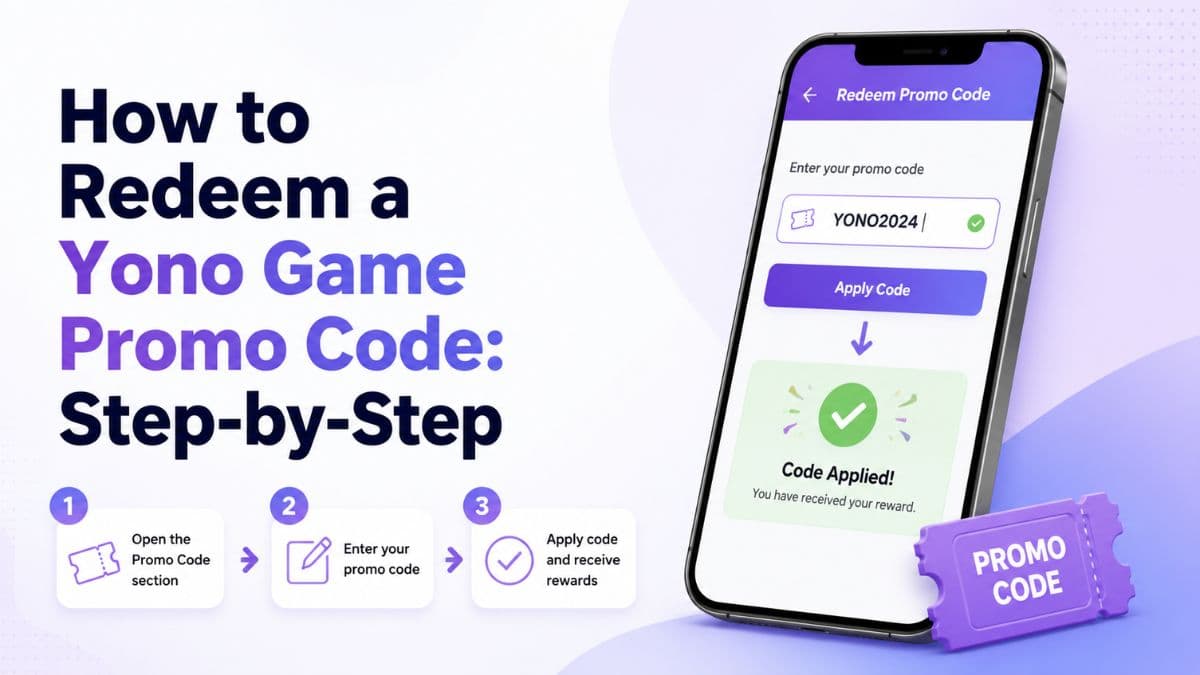
Once you've confirmed a code is genuinely current, redeeming it is usually a short process — but the exact steps vary enough between apps that it's worth walking through where to look and what to check along the way.
Step 1: Confirm the code's current status first
Before opening the app, check the code's status on its dedicated promo-code page in our directory. Each listing shows a last-checked date, so you can judge whether the status is likely to still hold. If you already have a specific game in mind, jump straight to its page — for example Yono Arcade.
Step 2: Find the redeem-code section in the app
Across most Yono-style apps, the option lives in one of a few predictable places:
- A wallet or balance screen, often with a "Redeem Code" or "Add Code" button.
- An account or profile menu, sometimes labelled "Promo Code" or "Gift Code."
- A dedicated rewards or offers tab, particularly during festival or milestone promotions.
If none of those are visible, check for a recent in-app notification or banner — some platforms only surface the redeem option temporarily during an active campaign rather than as a permanent menu item.
Step 3: Enter the code carefully
Type the code manually rather than pasting it where possible — copied text occasionally carries invisible characters or trailing spaces that cause an otherwise-valid code to be rejected. Codes are commonly case-sensitive, so match the formatting exactly as shown.
Step 4: Confirm what you meet before submitting
Many codes carry conditions — new-user only, one redemption per account, a minimum app version, or a specific date window. Submitting a code you don't qualify for will typically just return an error rather than a reward, so it's worth reading whatever eligibility notes are listed alongside the code first.
Step 5: Give it a moment
Some platforms credit the reward instantly; others queue it for a short review, especially for larger amounts. If nothing has appeared after a reasonable wait and you're confident you met every condition, see our guide to common redemption failures for the most likely explanations.
A quick note on trust
Never redeem a code through a link or third-party "redeem for me" service — the only place a code should be entered is directly inside the official app. Anywhere else asking for account credentials alongside a promo code is a red flag, not a shortcut.
Frequently Asked Questions
Where inside the app do I usually find the redeem-code option?
Most Yono-style apps put it under a wallet, rewards, or account/profile section, often labelled "Redeem Code" or "Promo Code." Exact navigation varies by app version.
What if I don't see a redeem-code option at all?
Some platforms only surface it through a specific event or notification rather than a permanent menu item. If you can't find it, check the platform's own help section or recent in-app announcements.
Is it normal for a code to take time to apply?
Some platforms credit rewards instantly, others queue them for review, especially for larger amounts. If nothing appears after a reasonable wait, check the code's status on this site or the platform's own support channel.
Informational disclaimer
Related Games

Yono Rummy
Rummy · Card Game
Yono Rummy is catalogued here as a rummy option, with details on its rewards and the latest promo-code check. Figures shown reflect the latest publicly.
Last reviewed: 16 July 2026
Yono Arcade
Arcade
Yono Arcade appears in our arcade listings, with an overview of its platform features and promo-code activity. Details are reviewed periodically and.
Last reviewed: 16 July 2026
Yono 777
Slots
Yono 777 sits in our slots category, tracked here for its reward features and promo-code updates. Treat this page as a starting point, not the final word.
Last reviewed: 16 July 2026